
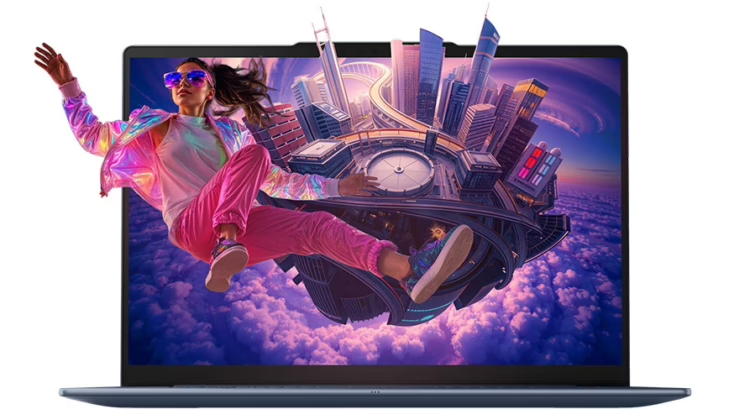
Lenovo Yoga Slim 7x Gen 11
Summary
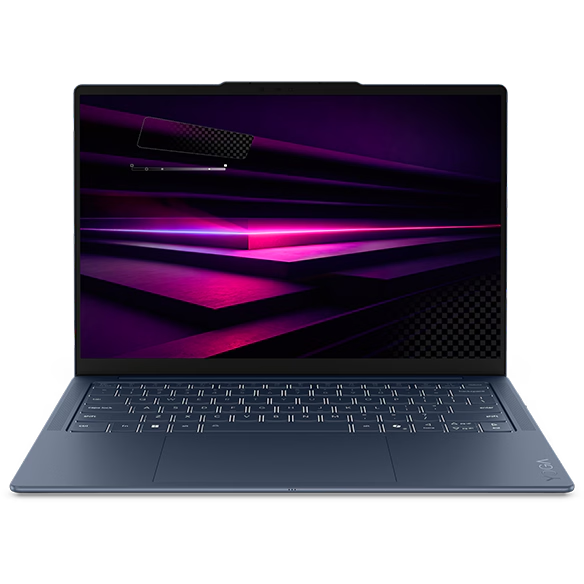
The Lenovo Yoga Slim 7x Gen 11 combines a 12-core Snapdragon X2 Elite processor, 32 GB of memory, up to a 2 TB SSD, and a beautiful 14-inch OLED touchscreen in a 0.55-inch, 2.73-pound design. Strong native performance, all-day battery potential, capable collaboration hardware, and three well-placed USB4 ports make it a compelling ultraportable. Windows-on-Arm compatibility, limited upgradeability, active cooling, and weak support for standalone local AI stacks narrow the recommendation. The price for the X2E-88-10 version with a 512 GB SSD was $1,829.99 on September 22, 2026, with a one-year courier or carry-in warranty.
Lenovo Yoga Slim 7x Gen 11 Review
I have reviewed Lenovo laptops that emphasized workstation power, ThinkPad traditions, folding experiments, and convertible flexibility. The Lenovo Yoga Slim 7x Gen 11 represents a more focused proposition: a premium Windows notebook for professionals who value mobility. It is neither a mobile workstation nor a collection of legacy ports wrapped around an enterprise platform. It is a thin, light, visually polished computer built for writing, creating, presenting, browsing, collaborating, and moving on to the next location.
That focus makes the Yoga Slim 7x easier to evaluate than Lenovo’s more configurable business systems. My review unit combines a Snapdragon X2 Elite X2E-88-100 processor, 32 GB of memory, a 512 GB SSD, and a 14-inch WUXGA OLED touchscreen. Lenovo listed it in this configuration at $1,829.99 on September 22, 2026. Processor choice and storage can drive up the price. The Yoga Slim 7x makes a strong case as a companion for highly mobile professional work. Lenovo’s broader AI claims require more scrutiny.
What we like
Pros
- Genuine ultraportability
- Thin, polished aluminum design
- Beautiful, color-accurate OLED touchscreen
- Strong everyday performance with native Arm applications
- Credible all-day battery life and rapid charging
- Comfortable input and capable collaboration hardware
- Right-sized, full-function USB4 port layout
The Lenovo Yoga Slim 7x Gen 11 is better suited to highly mobile work than many notebooks that use “mobile” as a loose category. The touchscreen configuration starts at 2.73 pounds, while non-touch models start at 2.58 pounds. Either figure keeps the system from becoming the reason for shoulder pain complaints. I found it easy to carry and reposition, which proves more critical in daily use than a peak benchmark that rarely reflects the stops, starts, meetings, flights, and temporary work surfaces that shape mobile work.
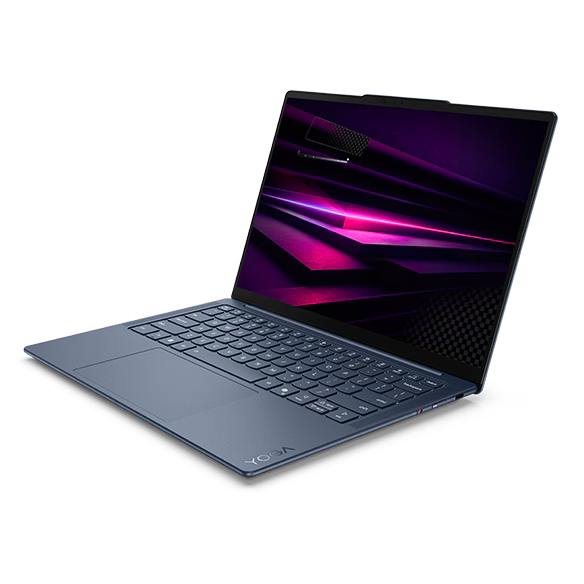
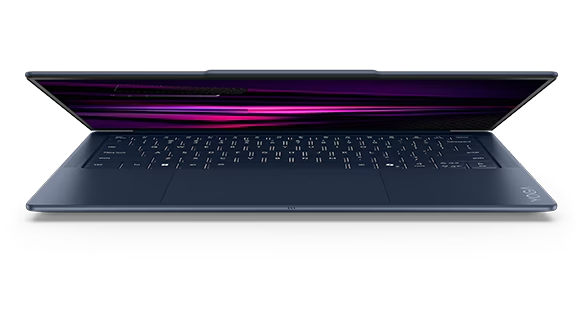
At 0.55 inches thick, the Yoga Slim 7x looks purpose-built rather than merely compressed. The Cosmic Blue aluminum enclosure gives it more personality than the anonymous gray slabs common to business travel, while the rounded Comfort Edge makes the closed computer comfortable to grip. Thin notebooks can look fragile or unfinished. This one looks considered. The design communicates quality without drifting into ornament, and it supports the product’s mobility argument every time the system leaves a desk. It picks up the slight bump for the camera from its ThinkPad brethren, which makes opening the display more fluid.
The 14-inch, 16:10 OLED display is the visual center of the experience. The 1920 × 1200 touchscreen in this configuration delivers the deep blacks, saturated color, and crisp text I expect from OLED, and I found it beautiful in everyday use. Lenovo specifies 400 nits of typical brightness, a 600-nit HDR peak, 100% DCI-P3 and sRGB coverage, Dolby Vision, and DisplayHDR True Black 500. The result is a screen suited to writing, presentations, media, and visual work that does not require the higher resolution or refresh rate of Lenovo’s optional panel.
My Lenovo Yoga Slim 7x Gen 11 review unit included the faster Snapdragon X2 Elite X2E-88-100, with 18 cores, 53 MB of cache, clock speeds up to 4.7 GHz, and a Hexagon NPU rated at up to 80 TOPS. Paired with 32 GB of fast LPDDR5X memory and a PCIe 4.0 SSD, the X2E-88-100 delivered strong performance in native Arm applications and ample capacity for office software, browser-heavy research, communication, presentations, media playback, and demanding multitasking.
The processor itself did not feel like the constraint. The more consequential question was whether specialized software could run natively, perform well through emulation, or use the Qualcomm NPU at all. That distinction separates impressive silicon from a consistently high-performance Windows experience. I recommend not even considering the lower-performance versions, especially given that supply chain or other reasons increase the cost of the 80-100 version of the CPU by $20 for less performance.
The Lenovo Yoga Slim 7x Gen 11 70 Wh battery complements the system’s mobility. Lenovo claims up to 18.5 hours of web browsing or 31 hours of local video playback for WUXGA OLED models under controlled conditions at 150 nits. I would treat those as laboratory ceilings rather than daily expectations, but the combination of an efficient processor, lower-resolution 60 Hz panel, and substantial battery supports credible all-day operation for typical professional work. Rapid Charge Express adds up to three hours of runtime after a 15-minute charge when the computer is shut down or hibernating, making a short stop more useful during travel.
Lenovo also gives the Yoga Slim 7x more than a decorative keyboard and token webcam. The backlit keyboard offers 1.5 mm of key travel and slightly sculpted keys, while the broad 3.15 × 5.31-inch glass touchpad provides ample room for gestures. The 9.2 MP infrared camera supports Windows Hello, an electronic shutter, and human-presence detection. Four microphones and four speakers—two tweeters and two woofers—round out a collaboration package that better fits mobile professional work than the low-resolution cameras and thin audio still found on many ultraportables. A haptic touchpad would feel more modern, but the mechanical touchpad remains large and functional.
Three USB-C ports sound sparse only when judged against a desk-bound computer. All three support USB4 at up to 40 Gbps, DisplayPort 1.4, and USB Power Delivery, with two ports on the left and one on the right. I found that to be the right number and placement for the intended audience. Unfortunately, because of the Snapdragon architecture, the USB-C ports do not support Thunderbolt.
That said, a charger can connect from either side of the Lenovo Yoga Slim 7x Gen 11, and a single-cable dock can restore displays and desktop peripherals at a fixed workspace. There is no HDMI, USB-A, card reader, or headphone jack, so some workflows will require a hub. For a highly mobile professional already using Bluetooth and USB-C accessories, the layout is a reasonable design choice rather than an automatic failure. The Slim 7x easily drove the dual stacked ViewSonic displays.
Sustainability
Lenovo’s product specifications document that the Lenovo Yoga Slim 7x Gen 11 ships in a plastic-free package with FSC-certified paper for the carton and manual. The lower cover uses 50% recycled aluminum alloy, the keyboard base plate uses 60% recycled aluminum alloy, and post-consumer recycled plastic appears in the adapter case, keycaps, and battery pack. ENERGY STAR 9.0 and EPEAT Gold apply to eligible configurations and markets, so those labels should be verified against the purchased unit rather than treated as universal line-wide certifications.
Lenovo also publishes service procedures for the battery, SSD, fans, speakers, and several other assemblies. That documentation does not make the Yoga Slim 7x a field-upgradable workstation—the memory is soldered, and there are no expansion slots—but it provides a clearer repair path than a completely sealed design.
What could be improved
Cons
- Unpredictable Windows-on-Arm compatibility outside mainstream applications
- Poor fit for serious local AI stacks and agentic tools
- Glossy 60 Hz display on the reviewed configuration
- Soldered memory and restricted SSD format
- Active cooling, heat, and fan noise under sustained loads
- Premium price despite configuration compromises
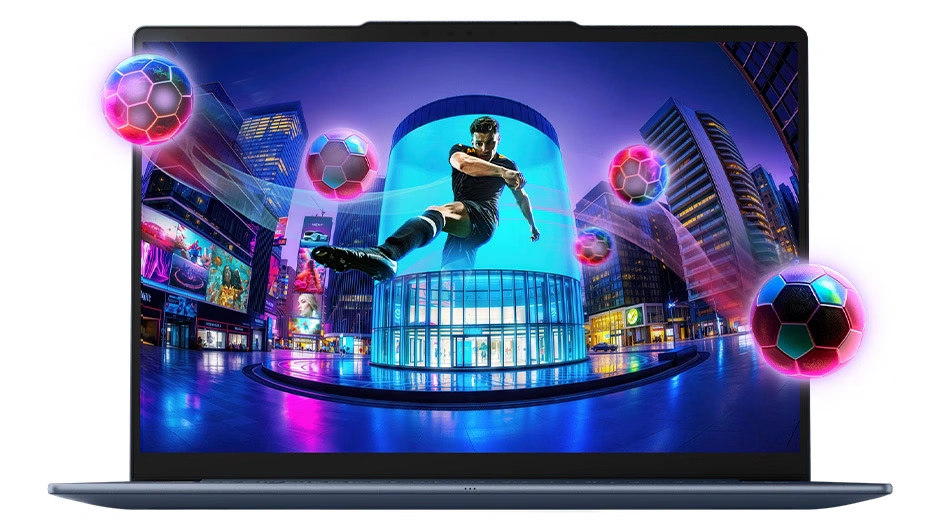
Windows on Arm remains the broadest limitation. Microsoft’s emulation layer has improved, and many mainstream applications now run natively, but compatibility is not universal, and emulation can reduce performance or reliability. Lenovo’s own product page warns that not all Adobe applications support the Arm architecture. Specialized utilities, peripherals with older drivers, niche professional applications, and some games therefore require verification before purchase. I would not assume that a Windows label guarantees the same software experience as an Intel- or AMD-based notebook. That uncertainty undercuts an otherwise compelling professional computer. Other quirks, such as the camera’s unresolved failure to invoke “cinematic mode” during testing, also caused concern.
The Snapdragon X2 Elite includes an NPU rated at up to 80 TOPS, but that number did not make the Lenovo Yoga Slim 7x Gen 11 a practical local AI workstation in my use. Its AI story is strongest alongside Windows Copilot+ with improved Windows Search, Click to Do, and other Microsoft-managed experiences designed for the NPU. Those are useful features, but it is not the same as broad support for standalone local models, orchestration frameworks, or agentic development stacks.
GPT4All’s published requirements, for example, call for AVX or AVX2 CPU instructions, while its acceleration options focus on CPU, Apple Metal, or conventional GPU paths rather than Qualcomm’s Windows NPU. It will run, but very slowly, for instance, when embedding PDFs. I would not choose this machine for GPT4All or other local AI tools without verifying all the runtime, model, plug-in, and hardware-acceleration path requirements. And even then, the speed of the Snapdragon CPU, despite its AI marketing, can’t match those of high-end processors from Apple, Intel, or AMD. Lenovo markets the system as capable of tackling models with billions of parameters; the practical software ecosystem does not yet make that a dependable general-purpose promise.
The WUXGA OLED remains beautiful, but its finish and refresh rate expose compromises. The glossy glass produces reflections in bright environments, and 60 Hz motion looks less fluid than the 120 Hz displays increasingly common in premium notebooks. Lenovo offers an optional 2.8K, 120 Hz OLED with higher brightness and broader Adobe RGB coverage, but that panel changes both price and battery behavior. The base display is not bad; it is simply less complete than the rest of the premium hardware suggests.
The fixed 32 GB of memory is generous today, but soldered memory removes any future expansion path. That becomes more significant when Lenovo frames the system around AI, data analysis, and creative work, all of which can consume additional memory over time. The single storage slot accepts M.2 2242 SSDs rather than the more common full-length M.2 2280 format, narrowing replacement and upgrade choices. A thin chassis imposes constraints, but a premium computer should preserve as many service and expansion options as its design allows.
I prefer a fanless design in a notebook this thin. This is not a design omission, but a personal preference, and it may be one the architecture’s thermals do not support. While the fans can remain unobtrusive during light work, sustained processing, charging, media work, or gaming produces heat and can make them audible. The product’s size, weight, processor efficiency, and mobile intent invite the expectation of silent operation with no moving cooling parts. I would accept a slight reduction in peak sustained performance for a fanless Yoga Slim 7x aimed more precisely at writing, collaboration, travel, and routine professional work. A separate actively cooled configuration could serve buyers who prioritize sustained throughput.
This configuration of the Lenovo Yoga Slim 7x Gen 11, at $1,829.99, is clearly a premium purchase. That price buys 32 GB of memory, 512 GB of storage, excellent mobility, a high-quality OLED display, robust collaboration hardware, and a modern Snapdragon processor. It also buys a glossy 60 Hz panel, soldered memory, limited storage options, and software compatibility that still requires homework. The value calculation works for a workflow already aligned with Windows on Arm. It becomes much weaker when adapters, replacement software, or a different computer for specialized work come into play.
Lenovo Yoga Slim 7x Gen 11: The bottom line
The Lenovo Yoga Slim 7x Gen 11 is a very good ultraportable with a narrower ideal audience than its broad AI marketing suggests. I found it light, exceptionally thin, visually refined, and equipped with a beautiful OLED display and exactly enough ports for a modern mobile workflow. The broader strengths matter too: native Arm applications run well, the battery supports credible all-day use, the keyboard and touchpad are comfortable, and the camera and audio hardware make the system ready for professional collaboration.
The edges of the value proposition deserve equal consideration. Windows-on-Arm compatibility remains uneven outside mainstream software, the WUXGA display is glossy and limited to 60 Hz, memory cannot be upgraded, and the active cooling system runs counter to the promise of silent ultraportability. Most significantly, the Yoga Slim 7x handles Microsoft’s Windows-based AI features, but it is not the machine I would select for running independent local models or experimental agentic stacks. I recommend it for highly mobile professionals whose verified software already runs well on Arm. A fanless version with broader support for local AI would appeal to that audience even more.
Lenovo provided the Yoga Slim 7x Gen 11 for review. Images courtesy of Lenovo unless otherwise noted.
Serious Insights is an Amazon Affiliate. Clicking on an Amazon link may result in a payment to Serious Insights.
For more serious insights on hardware and accessories, click here.
If you found value in this review, please like it, leave a comment, or share it with friends and colleagues. We appreciate you!
Leave a Reply