

ThinkPad Bluetooth Presenter Mouse (Aura Edition)
Summary
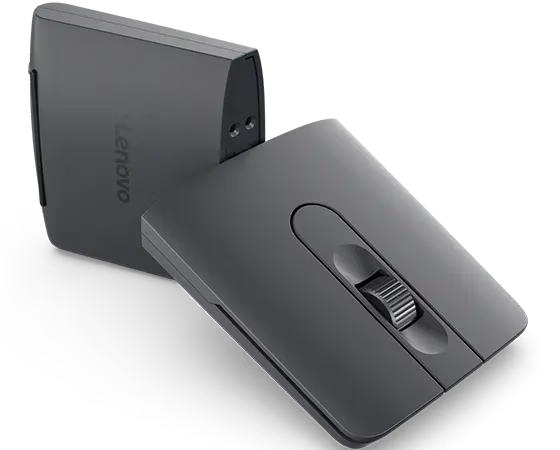
The $89.99 ThinkPad Bluetooth Presenter Mouse (Aura Edition) combines a comfortable 2.12-oz (60-gram) dual-Bluetooth mouse with digital presentation controls, USB-C charging, and a slim twist-to-transform design. It packs easily, pairs quickly, and delivers excellent practical battery life, although the mode change is not immediately discoverable and there is no physical laser pointer. Lenovo backs the mouse with a three-year Customer Replaceable Unit warranty.
ThinkPad Bluetooth Presenter Mouse (Aura Edition) Review
Serious Insights hardware reviews have long treated mice as more than pointing devices. Reviews of products such as the JLab Epic Wireless Mouse and the Dark Matter Hyper-K Wireless Mouse examine ergonomics, portability, connectivity, and the small design choices that shape daily work. Lenovo’s ThinkPad Bluetooth Presenter Mouse (Aura Edition) stretches that category by combining a desktop input device and a presentation remote in one 60-gram object. It represents a welcomed shift toward travel technology that does more than one thing.
Lenovo makes the transformation physical. The body twists upward into mouse mode and lies flat in presenter mode. I found the idea genuinely clever once I understood it, but the first encounter exposed a gap between mechanical ingenuity and discoverability. I did not read the manual. I missed the twist of the twist and nearly broke the mouse trying to turn it into a conventional desktop mouse. Once that transformation made sense, however, the pleasant hand feel, simple pairing, long battery life, and slim traveling profile became far more important than the awkward introduction.

What we like
Pros
- Compact two-in-one design that packs easily
- Comfortable hand feel and capable mouse controls
- Useful integrated digital presentation tools
- Excellent rechargeable battery life
- Easy pairing and dual-device Bluetooth support
The transforming design becomes persuasive after the first-use confusion passes. In mouse mode, the ThinkPad Bluetooth Presenter Mouse’s body measures 4.18 × 2.26 × 1.18 inches (106.2 × 57.3 × 30 millimeters;); in presenter mode, it flattens to 4.38 × 2.26 × 0.59 inches (14.9 millimeters and lengthens slightly to 111.6 millimeters.) At 2.12-OS (60 grams), it adds little weight or bulk to a travel bag. Lenovo listed the mouse for $52.99, 41% below its $89.99 list price, at the time of writing. At that sale price, replacing two separate travel accessories with one compact device makes practical and economic sense.
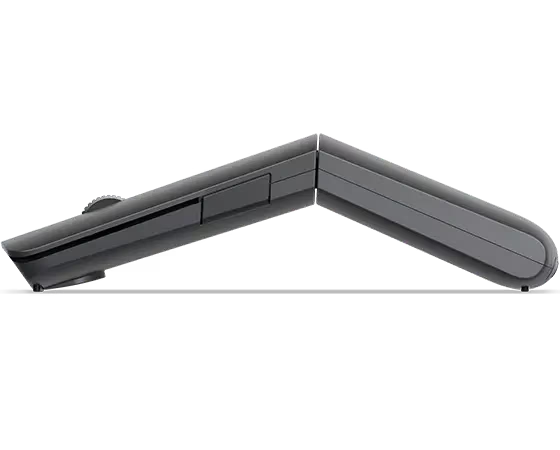
The ThinkPad Bluetooth Presenter Mouse feels better in my hand than its travel dimensions suggest. Its raised mouse shape provides a comfortable place for my palm and fingers, while an IR optical sensor, an adaptive metal scroll wheel, and three hardware DPI stages of 1200, 1600, and 2400 provide more control than a basic presentation remote could offer. Lenovo also advertises software configuration up to 4000 DPI.
Presenter mode adds a digital pointer, digital laser, highlighter, and magnifier through Lenovo Accessories and Display Manager, along with familiar slide control. Those software tools provide more ways to focus attention than a conventional forward-and-back clicker. The ThinkPad Bluetooth Presenter Mouse carries seven controls in total, although pairing, channel selection, and power share that count with everyday input controls.
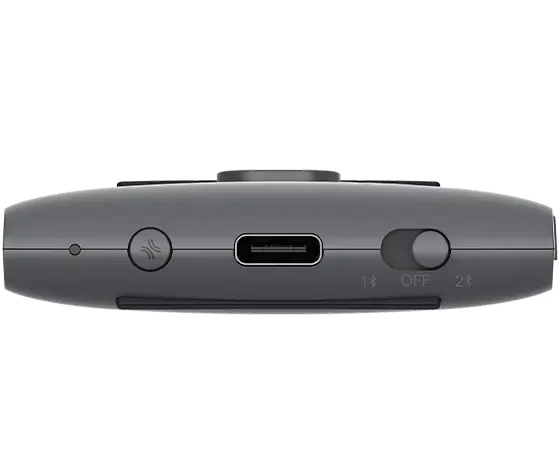
Battery life proved to be one of the ThinkPad Bluetooth Presenter Mouse’s strengths. I inadvertently left it switched on and still found the endurance excellent. Lenovo builds in an 800 mAh lithium battery, supplies a 0.5-meter USB-C-to-USB-C cable, and specifies a two-hour full-charge time. Lenovo claims up to two months per charge, which is the more conservative of the company’s published specifications. The rechargeable ThinkPad Bluetooth Presenter Mouse is an appropriately low-maintenance accessory.
Pairing was also unobtrusive. Tap-to-Pair and Microsoft Swift Pair made the initial connection easy, while dual Bluetooth Low Energy channels allow the mouse to remain associated with two devices. Lenovo notes that Tap-to-Pair support depends on compatible ThinkPad Aura systems, but Swift Pair offers a familiar Windows path beyond that narrower list.
Lenovo states that the mouse uses 95% post-consumer recycled materials, including 20% Lenovo post-consumer content, and the technical information identifies a brown-box package. That gives the ThinkPad Bluetooth Presenter Mouse a more substantial materials story than most travel mice. The rechargeable battery also avoids routine disposable-battery consumption during the product’s working life. Lenovo does not publish a repairability score or a product-specific end-of-life program on the mouse page, so buyers should not treat the recycled content as a complete circularity economy strategy.
What could be improved
Cons
- Twist mechanism is not self-explanatory
- No physical laser pointer
- Advanced features depend on Windows software
- Conflicting official battery-life claims
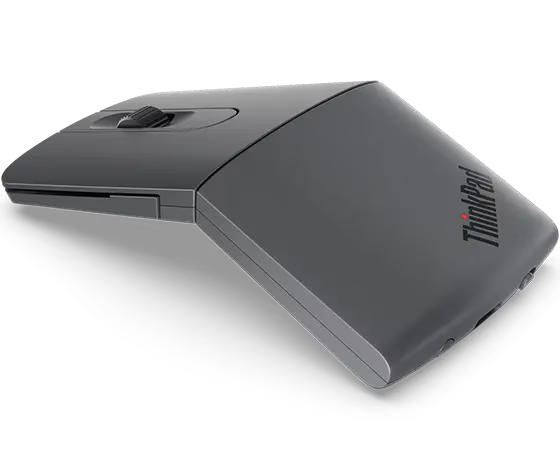
The twist is the product’s defining feature, but the hardware did not tell me clearly how it worked. I started with the device flat, tried to force it into a desktop-mouse shape (I am also the owner of a Microsoft Arc mouse), and stopped because it felt as though I might break it. Reading the manual revealed that the bottom rotates, but a travel tool should not require instructions to survive its first transformation. A directional mark, stronger tactile cue, or clearer mode indicator would make Lenovo’s clever mechanism much easier to discover safely.
The presenter includes a digital laser, not a physical laser emitter. Software-based pointing works well when content is presented from a compatible PC, and highlighting and magnification offer capabilities that a conventional laser cannot. I would still like a physical laser for presentations delivered directly to a projection screen or other physical surface. Lenovo sells this mouse beside dedicated laser presentation remotes, so the omission is conspicuous.
Lenovo lists Windows 10 and Windows 11 as the supported operating systems and routes button assignment and presenter customization through Lenovo Accessories and Display Manager. Bluetooth may make basic pointer functions visible elsewhere, but Lenovo’s published support boundary keeps the complete experience centered on Windows and compatible ThinkPad hardware.
Lenovo’s published battery guidance needs reconciliation. The product page and feature list promise up to two months per charge, while the technical-information section on Lenovo Support says up to six months. Both qualify the result by usage, but a threefold difference is too large to leave unexplained. My experience supports calling the battery life excellent, even after the mouse was inadvertently left on, yet I would use the lower two-month figure. Clearer documentation would make the battery life easier to assess, as most reviewers aren’t going to see if a mouse last six months until well after first impressions have been posted.
ThinkPad Bluetooth Presenter Mouse (Aura Edition): The bottom line
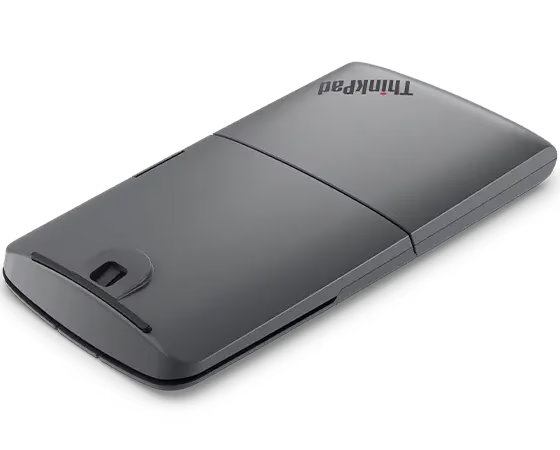
The ThinkPad Bluetooth Presenter Mouse (Aura Edition) succeeds as a compact Windows travel tool after a somewhat confusing first encounter. I like its hand feel, easy pairing, long battery life, dual-device support, and the satisfying logic of one object doing two jobs. The twist becomes easy once it is learned, but it is not intuitive, and the digital pointer doesn’t fully replace the physical laser I want for in-room presentations. At Lenovo’s current $52.99 sale price, I recommend it for frequent Windows-based presenters who value consolidation. At the $89.99 list price, the missing physical laser, platform limits, and poor first-use suggest more buying caution.
Lenovo provided the ThinkPad Bluetooth Presenter Mouse (Aura Edition) for review. Images courtesy of Lenovo unless otherwise noted.
Serious Insights is an Amazon Affiliate. Clicking on an Amazon link may result in a payment to Serious Insights.
For more serious insights on hardware and accessories, click here.
If you found value in this review, please like it, leave a comment or share it with friends and colleagues. We appreciate you!
Leave a Reply