
Lenovo ThinkPad X1 Carbon Gen 14
Summary
The Lenovo ThinkPad X1 Carbon Gen 14 Aura Edition combines an Intel Core Ultra 7 355 processor, 32GB of soldered memory, a 512GB SSD, Windows 11 Pro, and a superb 14-inch 2.8K non-touch OLED display in a chassis starting at 2.15 pounds. The matched configuration is listed at around $2,830 in Lenovo’s U.S. configurator on September 24, 2026. The X1 Carbon includes a one-year courier or carry-in warranty. Its lightweight design, keyboard, audio, ports, security, and improved serviceability make a strong enterprise case, but the price, limited storage, fixed memory, TrackPoint controls, and midrange integrated graphics require careful configuration.
Lenovo ThinkPad X1 Carbon Gen 14 Review
Serious Insights has reviewed Lenovo laptops that emphasize workstation power, convertible flexibility, experimental design, and travel-ready restraint. The ThinkPad X1 Carbon remains the benchmark for a narrower proposition: the premium Windows business laptop built around mobility, writing, security, and IT control. The Gen 14 Aura Edition preserves that identity while redesigning the interior for better cooling and easier service. On September 24, 2026, Lenovo’s U.S. configurator priced the reviewed Core Ultra 7 355, 32GB, 512GB, non-touch OLED, Windows 11 Pro configuration at around $2,830.
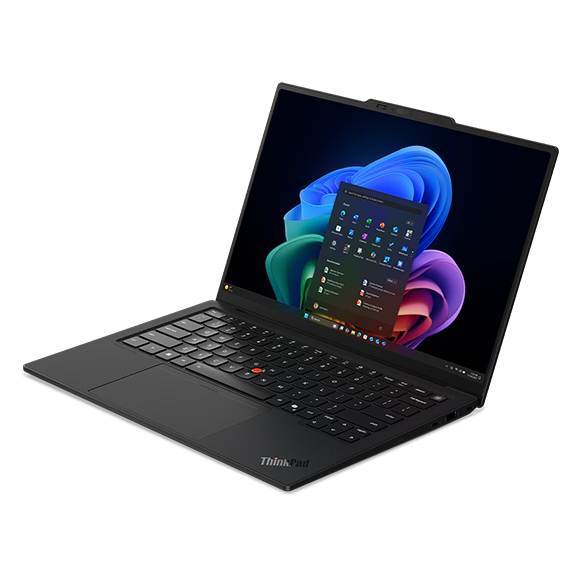
My review unit combines Intel’s Core Ultra 7 355 processor, 32GB of soldered memory, a 512GB SSD, and Lenovo’s 14-inch non-touch OLED panel. Lenovo correctly describes that screen as 2.8K, with a resolution of 2880 × 1800, rather than 2.6K. I found the machine exceptionally light, the display superb, the keyboard very good, the speakers startlingly accomplished, and the port selection extremely practical. I also found several choices difficult to reconcile with the price: 512GB is too little storage, the flatter keys are a step away from the more rounded keys I preferred on the prior model. And I’m still not a fan of the TrackPoint and its extra touchpad buttons.
What we like
Pros
- Exceptionally light, travel-ready construction
- Superb 2.8K OLED display
- Very good keyboard for sustained writing
- Outstanding speakers and Dolby Atmos audio
- Strong enterprise security foundation
- Practical selection and placement of modern ports
- More serviceable design with credible sustainability work
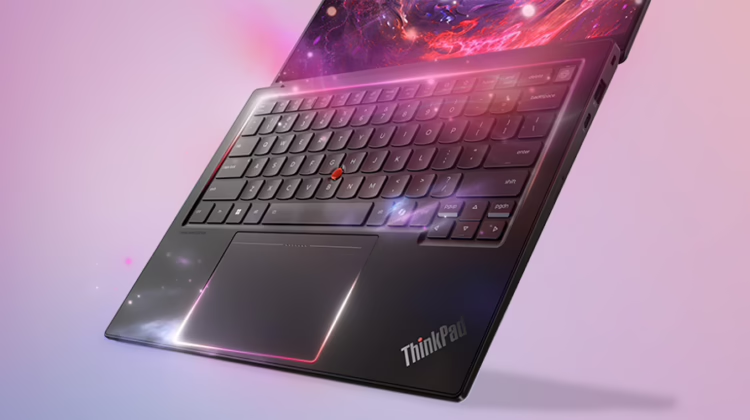
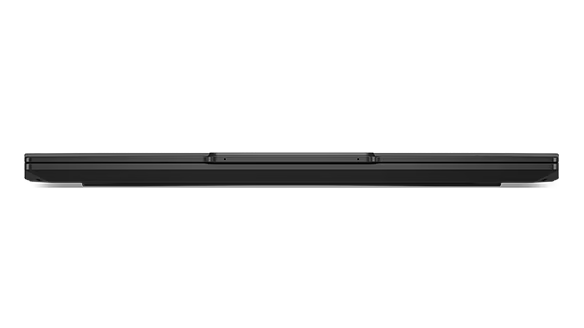
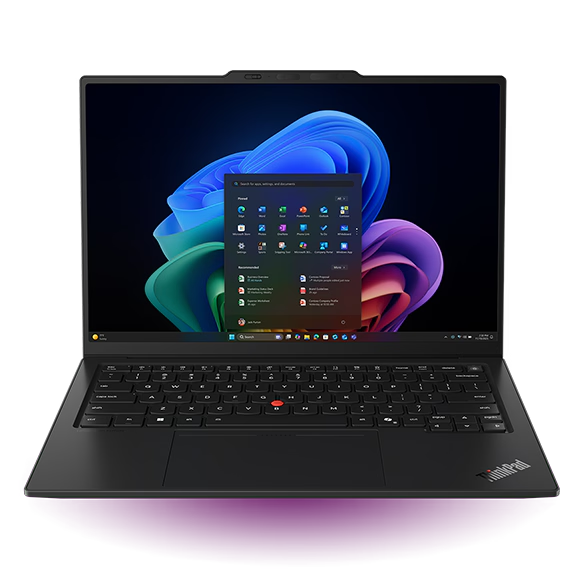
The X1 Carbon’s defining achievement remains its weight. The conventional trackpad configuration starts at 2.15 pounds, while the haptic touchpad version starts at 2.20 pounds. That difference matters less than the fact that either version feels almost implausibly light for a 14-inch business computer. Its carbon-fiber top and magnesium bottom keep the OLED model to a footprint of 12.30 × 8.49 inches and a thickness of no more than 0.66 inches. I noticed the weight every time I picked it up, carried it between rooms, or placed it in a bag already filled with the rest of a mobile office.
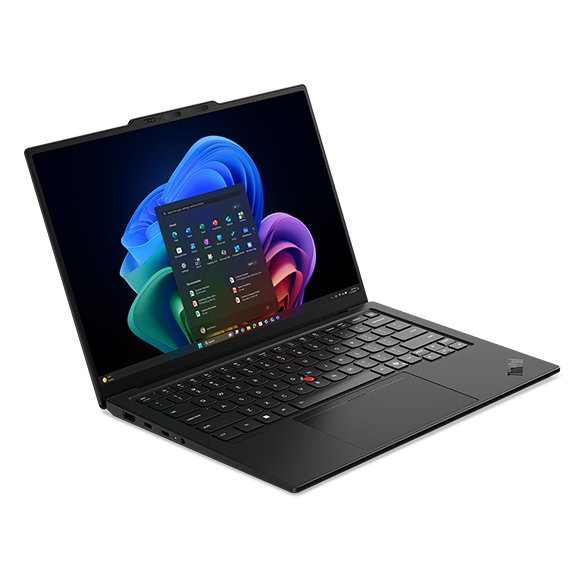
The 14-inch OLED display is gorgeous. Its 2880 × 1800 resolution, 16:10 aspect ratio, 500-nit rating, 100% DCI-P3 gamut, DisplayHDR True Black 500 certification, and variable 30–120Hz refresh rate give documents, presentations, photographs, and video both precision and depth. The non-touch surface also avoids fingerprints and the small optical compromises that touch layers can introduce. The panel makes the X1 Carbon feel like a premium computer every time it opens, and the resolution provides enough workspace to make the 14-inch format feel almost spacious.
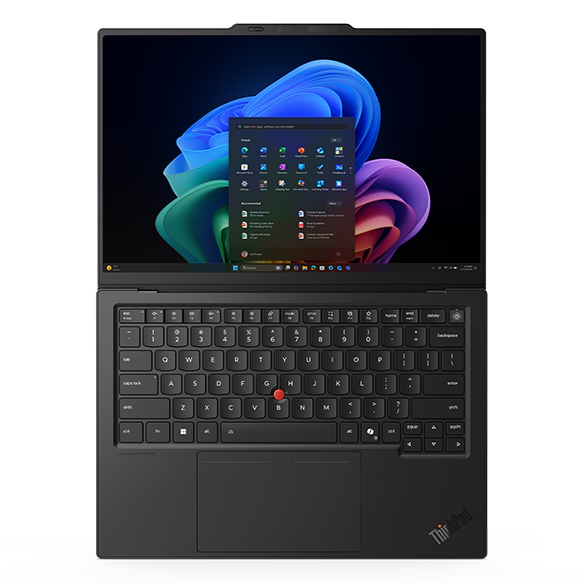
The keyboard remains very good. Lenovo specifies 1.5mm of travel for the primary keys, 1.35mm for the function row, and for the G, H, and B keys surrounding the TrackPoint. The deck supports long stretches of writing without feeling shallow or vague; the backlight is clear, and the standard Ctrl/Fn arrangement requires less adaptation than older ThinkPads. Integrating the match-on-chip fingerprint reader into the power button also reduces visual clutter and combines startup and authentication into a single motion.
The speakers are outstanding for a machine this small. Lenovo uses two 2-watt speakers with Dolby Atmos, and the result has more presence, separation, and usable volume than the thin chassis suggests. Voices remain clear in meetings, music has real dimensionality, and Dolby processing adds value rather than serving as a logo pasted onto ordinary laptop audio. I would still use headphones in a shared environment, but I would not reach for external speakers to listen to music or watch a video while traveling.
The security architecture fits the enterprise role. The platform includes a discrete TPM 2.0, a match-on-chip fingerprint reader, an IR camera for Windows Hello, a physical camera shutter, FIDO authentication, NVMe and BIOS password controls, a self-healing BIOS, and a Kensington Nano Security Slot. Optional presence detection adds another layer on eligible configurations. The Core Ultra 7 355 review unit is not automatically a vPro configuration, so organizations that require vPro Enterprise manageability need to select an eligible processor-and-wireless combination rather than assuming the X1 badge includes it.
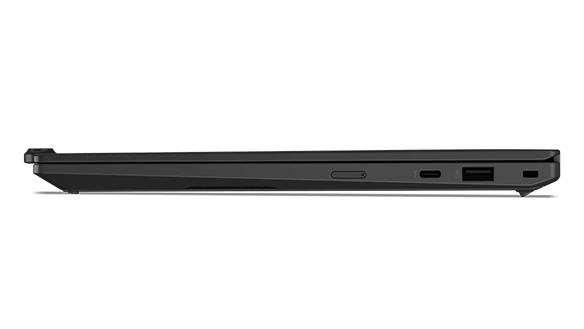
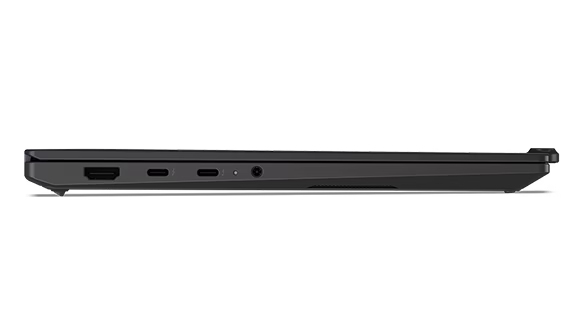
The port selection rejects the idea that an ultralight must also be a bag of dongles. Three Thunderbolt 4 ports support charging, DisplayPort 2.1, high-speed storage, and docking, with two connections on the left and one on the right. The chassis also includes USB-A, HDMI 2.1, and a 3.5mm audio jack, while configured WWAN models add a Nano-SIM slot. The system can drive its internal display plus three external monitors, and having USB-C power available on both sides makes the machine easier to place on a desk or charge in a crowded room.
Lenovo’s Space Frame redesign gives the X1 Carbon a lifecycle argument that most ultralights lack. Lenovo identifies the USB-C ports, daughter I/O board, battery, keyboard, speakers, fans, and SSD as serviceable or replaceable components. That does not make the system fully modular—the memory remains soldered—but it makes common failures less likely to condemn an otherwise useful computer. The redesign also creates room for larger fans and a smaller system board, changes intended to improve sustained cooling without adding bulk.
Sustainability
Lenovo supports its sustainability claims with product-specific material disclosures. The OLED model uses a bottom cover made with 90% recycled magnesium; the keyboard frame also uses 90% recycled magnesium, the keycaps use 85% post-consumer recycled content, and the speaker enclosure uses 98% post-consumer recycled material. Lenovo also specifies recycled content in the battery, adapter, fan housing, touchpad, cable holders, and antenna holders. Primary packaging is plastic-free and uses FSC-certified paper. ENERGY STAR 9.0, EPEAT Gold, RoHS, and TCO Certified generation 10 apply where configured and registered. Easier access to replaceable components matters as much as recycled content because extending service life can prevent an entire computer from becoming waste after a localized failure.
What could be improved
Cons
- Premium price even before enterprise upgrades
- 512GB SSD is too small for this class
- Flatter keys lose some of the earlier ThinkPad character
- TrackPoint and dedicated buttons still complicate the touchpad
- Core Ultra 7 355 graphics are aimed at productivity, not creation
- OLED panel trades some endurance for visual quality
- Soldered memory fixes the machine’s ceiling at purchase
The price is the largest obstacle. Lenovo’s configurator placed this review configuration at around $2,830. That is a great deal of money for an eight-core productivity processor, integrated graphics, 512GB of storage, and a one-year courier or carry-in warranty. The X1 Carbon earns part of its premium through weight, security, input quality, support options, and fleet consistency, but the configuration still makes more sense as a negotiated enterprise purchase than as an impulsive individual one.
A 512GB SSD should not be the default compromise in a computer at this price. Windows, applications, local collaboration caches, media, virtual machines, and AI-related files can quickly consume that capacity. The single M.2 2280 slot supports up to a 2TB drive and remains accessible, so the limitation is fixable, but Lenovo’s current configurator charged an additional $220 to upgrade from the selected 512GB drive to 1TB. I would make 1TB standard on every Core Ultra 7 and OLED configuration.
The keyboard is very good, though it’s not my favorite X1 keyboard. I preferred the slightly rounded, more sculpted keys on the Gen 9 model I reviewed. The Gen 14 keys feel flatter and more contemporary, but the change removes some of the physical guidance that made older ThinkPad keyboards so easy to navigate by touch. This is a matter of degrees, not a bad keyboard suddenly replacing a good one, yet small differences matter on a machine purchased in part for its writing experience.
I remain over the TrackPoint and its three dedicated buttons. The red pointer preserves a recognizable ThinkPad convention, but the extra controls divide the pointing surface into two systems and consume space that could support a larger, simpler touchpad. Lenovo offers a 5.12-inch-wide haptic touchpad in place of the 4.72-inch-wide three-button trackpad, which is the option I would choose, although Lenovo notes that the haptic touchpad and NFC are mutually exclusive. Tradition should not automatically outrank a cleaner everyday interface.
The Core Ultra 7 355 is well-suited for writing, research, presentations, conferencing, large office documents, and general creative work, but its integrated Intel Graphics are not the strongest option in this generation. Lenovo rates the graphics portion at up to 40 TOPS, while the Core Ultra X7 configurations pair substantially more capable Arc B390 graphics with up to 122 TOPS. The reviewed processor keeps heat and weight in check, but its price can set workstation expectations that the silicon was not designed to meet.
The OLED display imposes a predictable power tradeoff. Lenovo’s 58Wh battery supports Rapid Charge to 80% in an hour under the specified conditions, but Lenovo’s published maximum runtime figures are based on several different processor and display combinations rather than this exact Core Ultra 7 355 non-touch OLED build. The screen is good enough that I would accept shorter endurance, but organizations optimizing for the longest unplugged workday should compare the low-power WUXGA IPS option rather than treating all Gen 14 battery claims as interchangeable.
The 32GB of LPDDR5X memory is soldered to the system board and cannot be upgraded. That capacity is sensible for this configuration and should remain useful for years of business work, but the fixed ceiling weakens the broader serviceability story. Memory-intensive analytics, virtual machines, local AI models, and large creative projects can exhaust 32GB before the rest of the machine reaches retirement. Lenovo offers 64GB only with select processors, making memory a decision to make at purchase.
Lenovo ThinkPad X1 Carbon Gen 14: The bottom line
The Lenovo ThinkPad X1 Carbon Gen 14 Aura Edition is one of the most coherent premium business laptops I have reviewed. It is remarkably light, visually excellent, comfortable to write on, unusually good for audio, well-connected, security-conscious, and more repairable than many other ultralight designs. I recommend the ThinkPad X1 Carbon Gen 14 for mobile professionals and enterprise fleets that place a measurable value on low carrying weight, a first-rate OLED panel, dependable input, flexible docking, and lifecycle serviceability. The Core Ultra 7 355 configuration is a business productivity machine rather than a mobile workstation, and the purchase makes more sense with a 1TB SSD, 64 GB of RAM, a carefully selected touchpad, and a negotiated price.
Lenovo provided the ThinkPad X1 Carbon Gen 14 for review. Images courtesy of Lenovo unless otherwise noted.
Serious Insights is an Amazon Affiliate. Clicking on an Amazon link may result in a payment to Serious Insights.
For more serious insights on hardware and accessories, click here.
If you found value in this review, please like it, leave a comment, or share it with friends and colleagues. We appreciate you!
Leave a Reply