

Acer Aspire 16 AI Qualcomm

Summary
The Acer Aspire 16 AI Qualcomm A16-11MT-X669, priced around $699 on Amazon, delivers a 16-inch WUXGA 120Hz touch display, Snapdragon X X1-26-100 processor, 16GB LPDDR5X memory, 512GB PCIe Gen 4 SSD, Wi-Fi 7, USB4, HDMI 2.1, and a 45 TOPS Qualcomm Hexagon NPU for Copilot+ PC features. It carries a one-year International Travelers Limited Warranty according to Amazon’s listing. Its best fit is mainstream productivity, conferencing, writing, research, and cloud-based work where Windows on ARM compatibility is not a barrier.
Acer Aspire 16 AI Qualcomm Review
Serious Insights has looked at laptops as work instruments first: display, ports, keyboard, mobility, performance, and the daily friction that either disappears or accumulates. The Acer Aspire 16 AI Qualcomm fits that frame well. It is not a premium executive machine, nor is it a workstation. It is a large-screen Windows notebook built around Qualcomm’s Snapdragon X platform, Microsoft’s Copilot+ PC requirements, and a price that pushes AI PC features into mainstream buying territory.
The Qualcomm version matters because it reframes the Aspire line around efficiency rather than conventional x86 performance. Acer lists the Aspire 16 AI Qualcomm with a Snapdragon X1-26-100, an 8-core processor running at 3 GHz, a Qualcomm Hexagon NPU rated at 45 TOPS, 16GB LPDDR5X memory, and a 512GB PCIe Gen 4 NVMe SSD in the A16-11MT-X669 configuration. That makes the machine less about raw benchmark bragging rights and more about battery-aware productivity, AI-assisted conferencing, and whether Windows on ARM has matured enough for everyday work.
What we like
Pros
- Strong value for a 16-inch Copilot+ PC
- Snapdragon X platform with 45 TOPS NPU
- 16-inch WUXGA 120Hz touch display
- Wi-Fi 7, Bluetooth 5.3, HDMI 2.1, USB4, and microSD
- Lightweight for a 16-inch laptop
- EPEAT Gold registration and recyclable packaging

At around $699 for the A16-11MT-X669 configuration on Amazon, the Acer Aspire 16 AI Qualcomm makes the Copilot+ PC category feel less experimental and more accessible. A 16-inch Windows laptop with 16GB of LPDDR5X memory, a 512GB PCIe Gen 4 SSD, a touchscreen, and current-generation wireless connectivity lands in the part of the market where trade-offs are expected, but Acer manages to keep the configuration credible.
The Snapdragon X X1-26-100 gives the Acer Aspire 16 AI Qualcomm a clear identity. Acer’s configuration lists an 8-core Snapdragon X processor at 3 GHz with a Qualcomm Hexagon NPU rated at 45 TOPS. That NPU rating is important because it meets the Copilot+ PC threshold and shifts some AI workloads away from the CPU and GPU. For productivity, web work, Microsoft 365, conferencing, research, and writing, this is the kind of platform that should feel responsive without behaving like a hot, noisy notebook. The caveat remains Windows on ARM compatibility, but the underlying hardware story is strong for mainstream work.
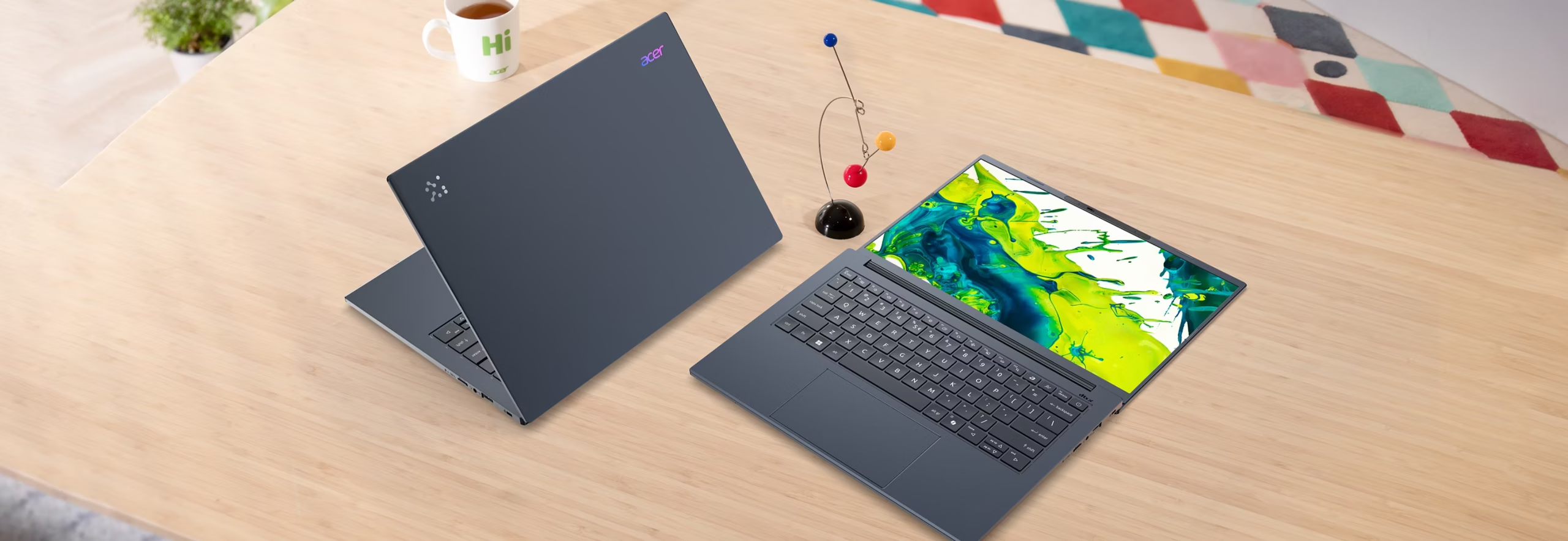
The display is one of the best arguments for the machine. Acer specifies a 16-inch IPS LCD touchscreen with a matte ComfyView surface, 1920 x 1200 resolution, 16:10 aspect ratio, and a 120Hz refresh rate. Amazon’s listing adds 350 nits and 100% color gamut language for the same model family. A 16:10 panel gives documents, web pages, spreadsheets, and dashboards more vertical breathing room than a 16:9 display, and the 120Hz refresh rate makes the system feel more modern than many value laptops. The display proves beautiful and responsive.
The port and connectivity story is practical. Acer highlights dual USB4 Type-C ports, HDMI 2.1 with up to 8K output, a microSD slot, Bluetooth 5.3, and Wi-Fi 7. That combination supports a clean desktop setup without forcing the owner into dongle dependency for every basic expansion scenario. I still prefer full-size SD on larger creative laptops, but microSD remains useful for cameras, drones, small devices, and quick file transfer.
While the Acer Aspire 16 AI Qualcomm’s USB4 ports are not Thunderbolt 4/5, they do support DisplayPort, with my Xebec Tri-Screen 3 dual display working happily in support of my AI workload tests.

For a 16-inch notebook, the weight helps the Aspire 16 AI avoid becoming deskbound. Amazon lists the item weight at 3.42 pounds, with dimensions of 14 by 9.85 by 0.63 inches. That puts the machine in a useful middle ground: large enough to work on comfortably for long stretches, but not so heavy that moving it between home, office, classroom, and conference room becomes a chore.
Sustainability
Acer gives the Aspire 16 AI Qualcomm a more concrete sustainability story than many mainstream laptops. The company states that the Aspire 14 and 16 AI Qualcomm models use 100% recyclable materials for packaging and are EPEAT Gold registered. Amazon also identifies ENERGY STAR certification for the A16-11MT-X669 listing. Acer publishes a product carbon footprint document for the Aspire 16 AI A16-11M(T) family, estimating a mean footprint of 270 kg CO2e, with a standard deviation of 58 kg CO2e. That disclosure does not make the laptop sustainable by itself, but it gives buyers and procurement teams numbers they can compare rather than a vague environmental claim.
What could be improved
Cons
- Windows on ARM still requires application compatibility diligence
- 16GB maximum memory on the Amazon-listed configuration
- 512GB SSD feels modest for a 16-inch productivity laptop
- Integrated graphics limit gaming and graphics-heavy creative work
- No fingerprint reader or RJ-45 Ethernet
- AI features remain uneven as a purchasing rationale
- Drop the bloatware
Windows on ARM has improved, but it still carries an evaluation burden. The Qualcomm Aspire 16 AI makes the most sense for users whose work lives in modern Windows applications, browsers, Microsoft 365, cloud services, web apps, and mainstream productivity tools. Specialized drivers, older utilities, VPN clients, niche creative tools, and industry-specific applications still need verification before purchase. That is not an Acer-specific issue, but it is part of the buying decision for any Snapdragon X Windows laptop.
The 16GB LPDDR5X memory ceiling on the Amazon-listed A16-11MT-X669 configuration undercuts some of the future-facing AI PC language. Amazon lists 16GB installed and 16GB maximum memory. Acer’s broader Aspire 14/16 AI Qualcomm page lists configurations up to 32GB LPDDR5X and 1TB SSD, but this specific configuration does not offer that headroom. For mainstream productivity, 16GB remains workable, but AI PCs are arriving just as browsers, collaboration tools, local AI features, and background services continue to consume more memory.
The 512GB PCIe Gen 4 NVMe SSD is fast enough, but capacity looks conservative in a 16-inch laptop meant to serve as a primary work machine. Acer’s spec sheet confirms 512GB of PCIe NVMe 4.0 storage in M.2 form. That will satisfy users who live mostly in the cloud, but media libraries, offline files, Teams and Zoom recordings, local AI assets, and creative projects will quickly push against that limit.
The Qualcomm Adreno integrated GPU fits the Aspire 16 AI’s productivity role, but it should not be mistaken for a gaming or workstation graphics platform. Amazon describes the graphics as integrated, with shared graphics memory and Qualcomm Adreno GPU. The 120Hz screen may invite expectations that the GPU will not meet in demanding games or graphics-heavy creative workloads. This machine is better read as a large-screen productivity PC with AI acceleration, not as an all-purpose performance laptop.
As a business-focused machine, Acer should drop the various games that continue the bloatware phenomenon that started with overstuffed CD-ROMs. If they are going to bloat it with anything, include useful AI, creativity and security tools. I’m also OK with a folder full of discount codes, but I’m not OK with taking up precious storage space by uninstalling apps. If its not essential, or at least very useful, let the new owners decide what to install.

Acer omits a fingerprint reader and RJ-45 Ethernet on this configuration. The spec sheet lists the fingerprint reader as “No” and network RJ-45 as “No.” The Acer Aspire 16 AI Qualcomm supports Windows Hello facial recognition through the QHD IR camera across the product family, but many business users still prefer fingerprint authentication as a secondary biometric. Ethernet will not matter to many owners, but a 16-inch laptop with HDMI and USB4 still feels like it has room for a wired network option.
The AI positioning remains ahead of the software experience. Acer promotes Copilot+ experiences such as Live Captions, Cocreator, Recall, AcerSense, PurifiedVoice 2.0, PurifiedView 2.0, and LiveArt. Those features are useful in pieces, especially for conferencing and accessibility, but they do not yet redefine the laptop category. The Aspire 16 AI Qualcomm should be purchased because it is a well-priced, efficient, big-screen Windows laptop that qualifies for Copilot+ features, not because AI alone transforms the ownership experience.
Acer Aspire 16 AI Qualcomm: The bottom line
The Acer Aspire 16 AI Qualcomm is a strong value entry in the Copilot+ PC category. At roughly $699, the A16-11MT-X669 configuration delivers a 16-inch WUXGA 120Hz touch display, Snapdragon X efficiency, a 45 TOPS NPU, Wi-Fi 7, USB4, HDMI 2.1, and a light chassis for its size. Its limits are equally clear: Windows on ARM compatibility should be checked before purchase, 16GB of memory and 512GB of storage leave limited room for growth, and the entry-level integrated GPU keeps the machine firmly in productivity territory.
I would recommend the Acer Aspire 16 AI Qualcomm for mainstream work like writing, research, collaboration, education and running web apps. AI-curious Windows users who want a large screen without paying premium laptop prices will also get a taste of what’s to come, but only a taste.
Acer provided the Aspire 16 AI Qualcomm for review. Images courtesy of Acer unless otherwise noted.
Serious Insights is an Amazon Affiliate. Clicking on an Amazon link may result in a payment to Serious Insights.
For more serious insights on hardware and accessories, click here.
If you found value in this review, please like it, leave a comment or share it with friends and colleagues. We appreciate you!
[…] Blackwell Laptop computer GPU. The Snapdragon consequence got here from testing documented in my Acer Aspire 16 AI Qualcomm evaluation. That delta isn’t a benchmark quibble. It separates AI-assisted mobility from native AI […]