

Lenovo ThinkPad X1 2-in-1 Gen 9
| Criteria | Star Rating |
| Design | ⭐⭐⭐⭐ |
| Features | ⭐⭐⭐ |
| Value | ⭐⭐⭐ |
| Sustainability | ⭐⭐⭐⭐⭐ |
| Total | 3.75 ⭐ |
Summary
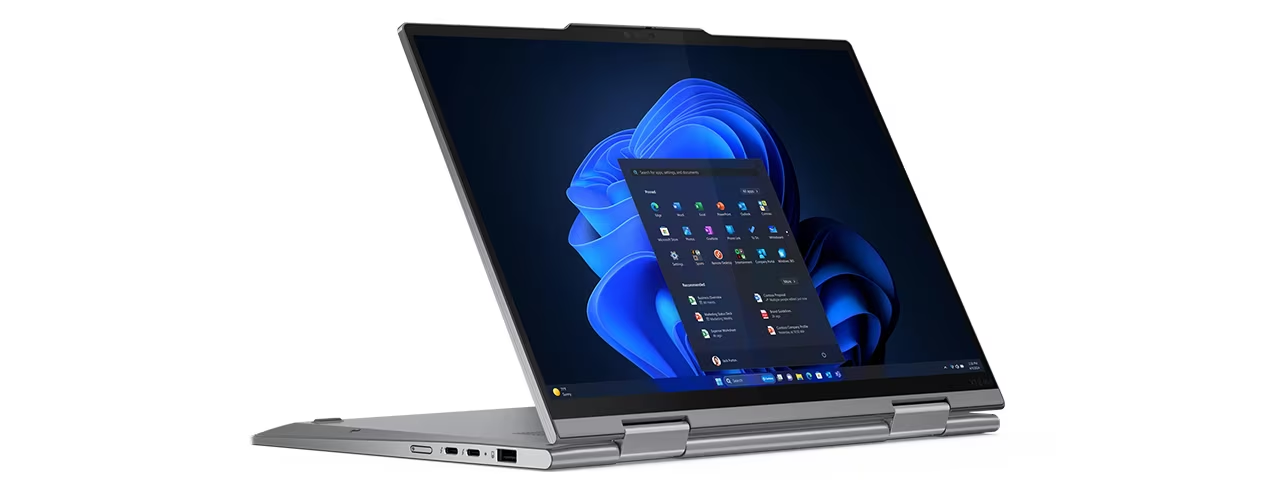
The Lenovo ThinkPad X1 2-in-1 Gen leans into the X! Carbon design with its own flourishes, like a 360-degree hinge and pen-based input. It remains a top-tier option for professionals prioritizing portability, display quality, a robust build and creativity support. Price may be an issue, but like its cousin, list price should never be the purchase price, especially for designated units from the Lenovo configuration catalog. Enhancements to memory, storage and CPU will drive up the price (note that the number of options on this device are more constrained than on the X1 Carbon.). A bigger issue for mobile professionals may be the slight weight increase over the X1 Carbon from aluminum construction, but use case flexibility and a beautiful design should offset that concern.
Pros
- Solid, portable build
- Vivid OLED Display available
- Robust security features
- Great keyboard
- Built for IT management
- Exceptional attention to sustainability
Cons
- Middling battery life
- Small touchpad
- Expensive list price
- Average standard display
- More limited CPU options than with the X1 Carbon
- Does not include Intel Arc graphics as an option, which it should
Lenovo ThinkPad X1 2-in-1 Gen 9 Review
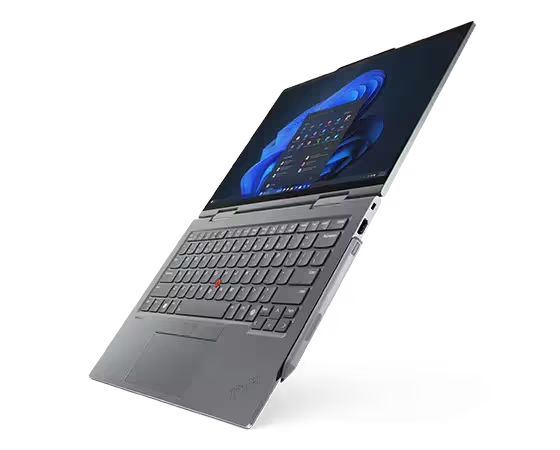
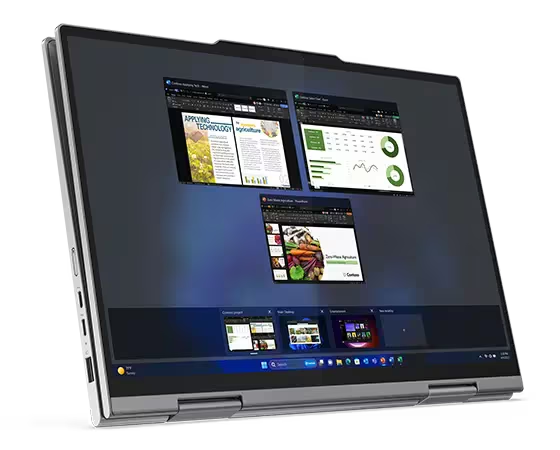
The Lenovo X1 2-in-1 Gen 9 is both a souped-up X1 Carbon. It substitutes the lightweight carbon fiber for stiffer and shinier aluminum. It also offers a 2-in-1 flexibility, with a 360-degree hinge to support tabletop presentations or a tablet experience.
The Lenovo ThinkPad X1 2-in-1 Gen 9 sports an improved pen that doesn’t tuck away. It offers a better stylus experience, but it also no longer has a home, making it prone to loss despite its magnets along the top and side of the laptop. It also comes with a pen and touch-enabled as a default on all displays, including the beautiful 2.8K OLED I saw only in previews.
On the other hand, Lenovo limits the 2-in-1 to lesser processors, curtailing the upper limits of power but also, likely, keeping the metal case cooler. It also lacks access to Intel Arc graphics.
Besides those few items, the Lenovo ThinkPad X1 2-in-1 Gen 9 is essentially the X1 Carbon design in a slightly heavier package, with a pen and 360-degree hinge. The two devices share ports, maximum memory, networking and cellular options. While the case material differs, the footprints are identical, as is the little camera hump that makes for quickly opening the lid.
The differentiation comes down to use cases. While the X1 Carbon is a premier laptop for traditional and AI-enabled work, the 2-in-1 offers a more creative flair for content creators and for those who leverage that creativity in sales and other presentation situations. That said, I wish it had access to at least Intel Arc Graphics.
The creativity angle must be qualified with a preference for Windows and Microsoft. The X1 2-in-1 is a beautiful machine, and for those looking for a convertible Windows 11 device, they can’t go wrong. The X1 2-in-1 performs well in any orientation. I am not a fan of 2-in-1 Windows devices, regardless of who makes them. Microsoft’s Surface tablets offer an alternative for Windows users, but Apple or Android (such as Lenovo’s massive Tab Extreme) tablets still offer better pure pen-based experiences.
To the point f design similarity, see this Lenovo video from YouTube.
Lenovo ThinkPad X1 2-in-1 Gen 9 Specifications
Full specifications for the Lenovo X1 2-in-1 Gen 9 with Maximum Configuration compared to the As Reviewed Configuration.
| Feature | Max Config | As Reviewed |
|---|---|---|
| CPU | Intel® Core™ Ultra 7 155H Processor (E-Core Max 3.80 GHz, P-Core Max 4.80 GHz with Turbo Boost, 16 Cores, 22 Threads, 24 MB Cache) | Intel® Core™ Ultra 7 155U Processor (E-Core Max 3.80 GHz, P-Core Max 4.80 GHz with Turbo Boost, 12 Cores, 14 Threads, 12 MB Cache) |
| GPU | Integrated Intel® Graphics | Integrated Intel® Graphics |
| Display | 14″ 2.8K (2880 x 1800), OLED, Anti-Glare/Anti Reflection/Anti Smudge, Touch, HDR 400, 100%DCI-P3, 400 nits, 120Hz | 14″ WUXGA (1920 x 1200), IPS, Anti-Glare, Touch, 100%sRGB, 400 nits, 60Hz, Low Power, Eyesafe® |
| Webcam | 8MP & IR Mobile Industry Processor Interface (MIPI) with Computer Vision & webcam privacy shutter | 8MP & IR Mobile Industry Processor Interface (MIPI) with Computer Vision & webcam privacy shutter |
| Memory | Up to 64GB LPDDR5x (6400MHz) soldered | 16 GB LPDDR5x (6400MHz) soldered |
| Internal Storage (upgradable) | 2TB PCIe Gen4 Performance SSD | 1TB PCIe Gen4 Performance SSD |
| Keyboard | ThinkPad TrackPoint Keyboard (1.5mm travel), Spill-resistant, Glass TrackPad with 3 buttons (120mm / 4.72″), Backlit with white LED lighting, Air intake keys, Dual-function TrackPoint. | ThinkPad TrackPoint Keyboard (1.5mm travel), Spill-resistant, Glass TrackPad with 3 buttons (120mm / 4.72″), Backlit with white LED lighting, Air intake keys, Dual-function TrackPoint. |
| Audio | Dolby Atmos® 2 x speakers 2 x 360-degree quad-array microphones and Dolby Voice® certified for professional conferencing solution. | Dolby Atmos® 2 x speakers 2 x 360-degree quad-array microphones and Dolby Voice® certified for professional conferencing solution. |
| Wireless | Intel® WiFi 7 BE200 802.11BE (2 x 2), Bluetooth® 5.3, and vPro®: On vPro® Processors | Intel® WiFi 6E* AX211 802.11AX (2 x 2), Bluetooth® 5.3, and vPro®: On vPro® Processors |
| Broadband | WWAN Optional : Quectel EM160R-GL 4G LTE CAT16 WWAN Optional : Quectel RM520N-GL 5G Sub6 | None |
| Battery | 57Whr battery with optimized power distribution for longer life unplugged, Rapid Charge (60 minutes = 80% capacity), requires 65W or higher adapter | 57Whr battery with optimized power distribution for longer life unplugged Rapid Charge (60 minutes = 80% capacity), requires 65W or higher adapter |
| SmartCard Reader | None | None |
Lenovo ThinkPad X1 2-in-1 Gen 9 Other Details
- 15.49mm x 312.8mm x 217.65mm / 0.61″ x 12.31″ x 8.57″
- Starting at 1.33kg / 2.94lbs
- ENERGY STAR® 8.0
- EPEAT® Gold, where applicable*
- Forest Stewardship Council® (FSC) certified packaging
- Intel® Evo™
- TCO 9
- 75% recycled aluminum on top cover (A side)
- 90% recycled magnesium on keyboard frame (C side) for WWAN configurations
- 75% recycled aluminum on keyboard frame (C side) for WLAN configurations
- 55% recycled aluminum & 45% hydro-aluminum on bottom cover (D side)
- 90% post-consumer content (PCC) recycled plastic used in speaker enclosure
- 90% PCC recycled plastic used in the battery enclosure
- 90% PCC recycled plastic used in power adaptor
- 30% PCC recycled plastic in cable holders
- 85% PCC recycled plastic in keycaps
- Low-temperature solder on memory modules, SSD board, & fingerprint module
MIL-SPEC 810H
Eyesafe®
See the X1 Carbon Gen 12 Review for a more detailed overview of the included technology.
Lenovo ThinkPad X1 2-in-1 Gen 9 Slots
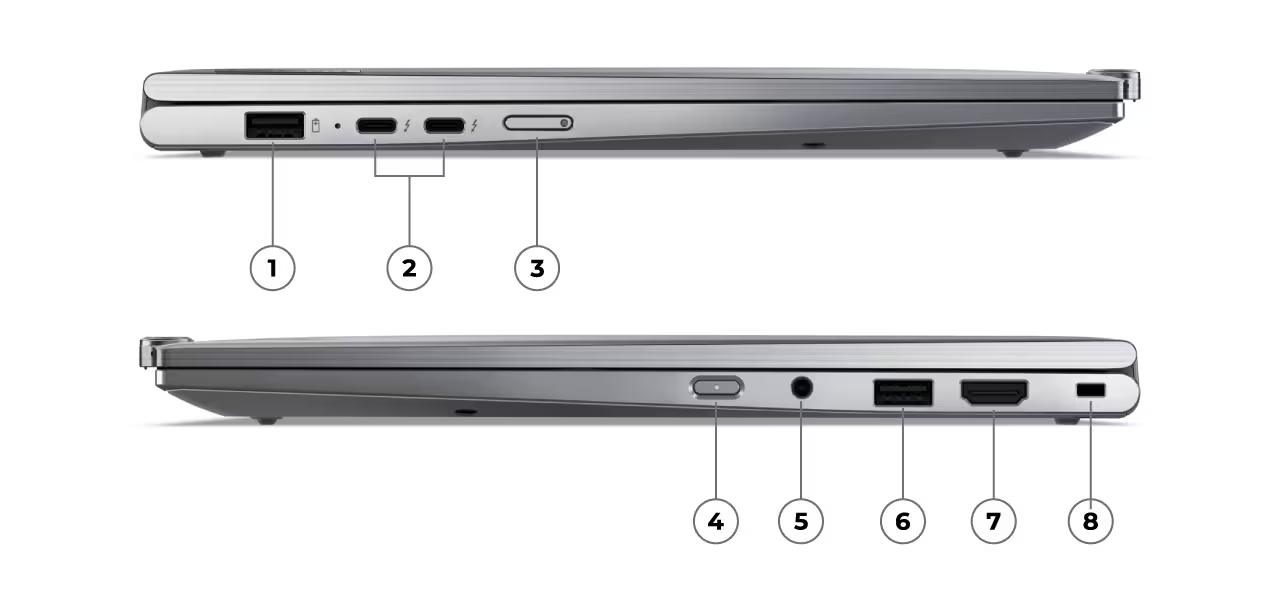
Lenovo Thinkpad X1 Carbon Gen 12 ports include: 1) USB-A (USB 5Gpbs), 2) 2 x USB-C® (Thunderbolt™ 4, USB 40Gbps), 3)Optional SIM slot (Available Spring 2024), 4)Power button, 5) Headphone/microphone combo, 6) USB-A (USB 5Gpbs), 7) HDMI 2.1, 8) Kensington Nano Security Slot™
Lenovo ThinkPad X1 2-in-1 Gen 9: The bottom line
The ThinkPad X1 2-in-1 Gen 9, with its touchscreen, pen support, and multi-mode flexibility, is perfect for creatives and collaborators who value versatility and hybrid usability. Choose the Carbon Gen 12 for performance and portability; opt for the Lenovo ThinkPad X1 2-in-1 Gen 9: for creativity and adaptability.
Lenovo provided the ThinkPad X1 2-in-1 Gen 9 for review. Images courtesy of Lenovo unless otherwise noted.
Serious Insights is an Amazon Affiliate. Clicking on an Amazon link may result in a payment to Serious Insights.
For more serious insights on hardware and accessories, click here.
Leave a Reply